Your sources, one interface
Find applications from enabled Zorin and Ubuntu repositories, your Flatpak remotes and Steam discovery. Choose a source when it matters.
Apps, games and useful tools. One place to explore your system repositories, Flatpak and Steam.
Zorin & UbuntuFor Zorin 18 / Ubuntu 24.04 · Intel & AMD 64-bit
Free software, independently maintained by ShipDocs.
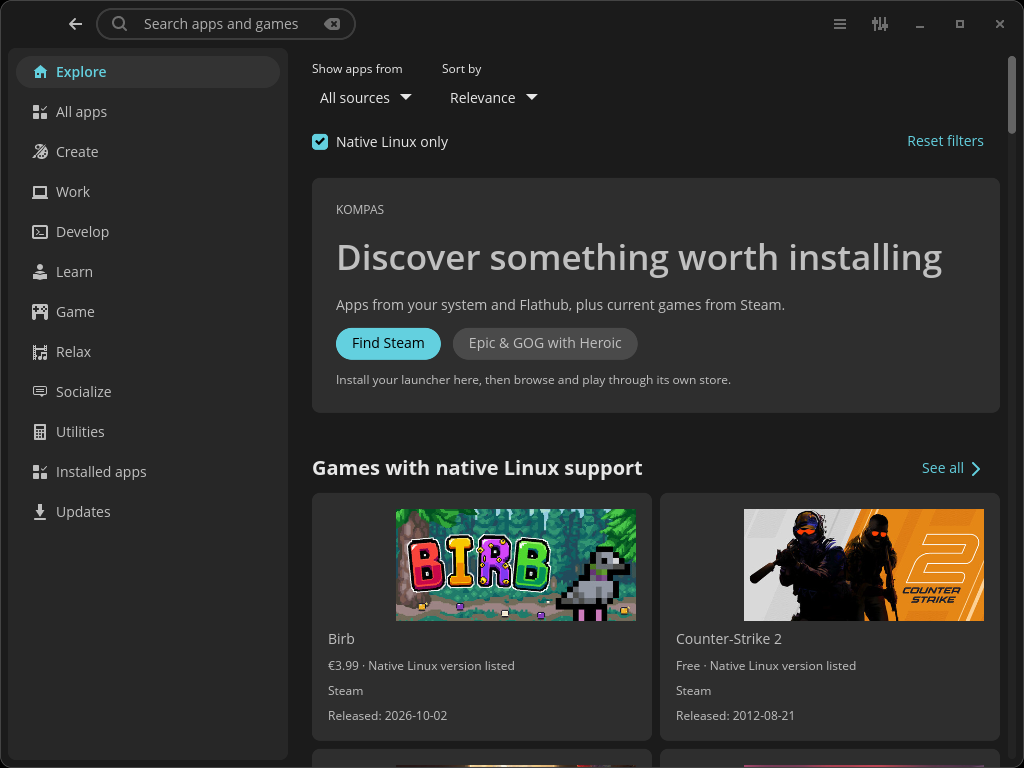
Browse by what you want to do, then narrow the results without learning where every application lives.
Find applications from enabled Zorin and Ubuntu repositories, your Flatpak remotes and Steam discovery. Choose a source when it matters.
Search, categories and subcategories, with source and native Linux filters. A visible back button keeps exploring simple.
Game sections sort by original release date. Unknown dates go last, and an update to an old game does not turn it into a new release.
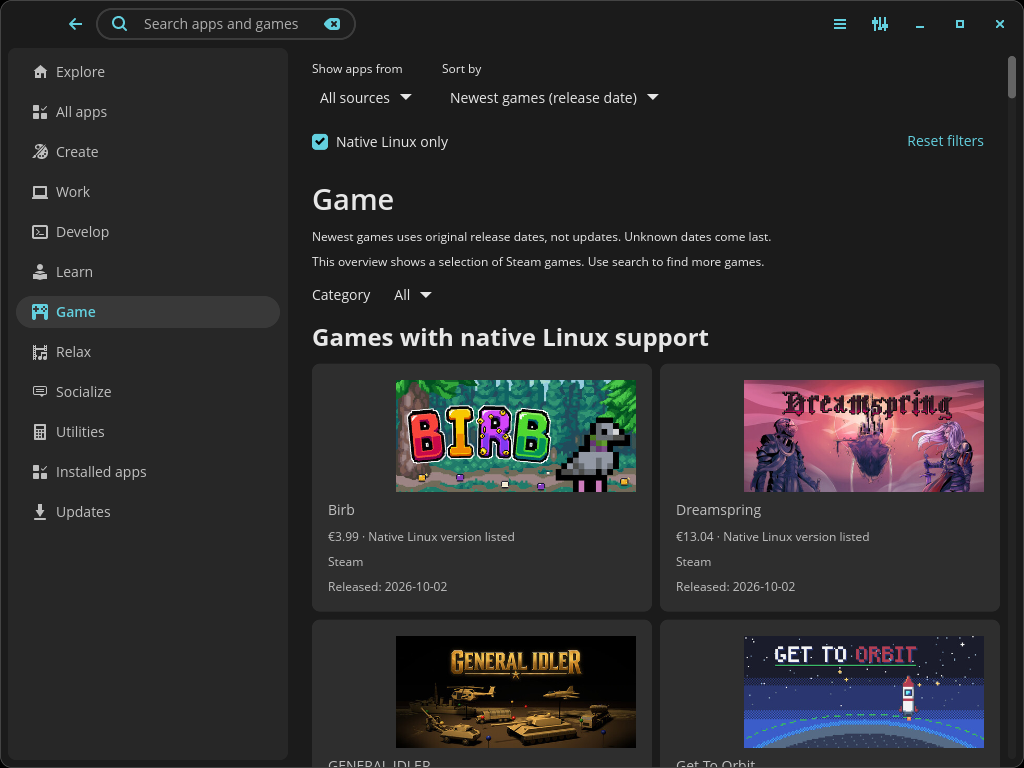
Discover Steam games alongside local software. Open a game in Steam to install it, visit its store page or check ProtonDB.
Native Linux filtering is enabled by default. It checks published platform support, not your GPU, anti-cheat support or every game mode. Steam purchases and installation remain with Steam. Epic/GOG game catalogs are not yet integrated.
Download the package, open a terminal in the Downloads folder and install it. Then open Kompas from your application menu.
Kompas is early software and still being tested. It does not replace Zorin Software. A previous cosmic-store package is replaced automatically, with legacy preferences preserved on first launch.
Release notes & checksums ↗Loading the latest release…
sudo apt install ./kompas-amd64.deb
kompas
Use your normal desktop account to run Kompas. For Flatpak results, Flathub must be enabled. Kompas uses your existing sources.
Download .debNo. Kompas is a ShipDocs project built on COSMIC Store. You can install Kompas on an existing Zorin system; inclusion in a standard Zorin installation requires agreement with the Zorin team.
System packages are checked against enabled repositories and Flatpak catalogs use the host architecture. Steam native filtering uses Steam's published Linux flag. These checks cannot guarantee hardware requirements, Proton or anti-cheat compatibility. Steam discovery combines a featured selection with live search, rather than indexing the entire catalog.
Available download counts help sort popularity within a source. They are not quality scores or comparable sales across stores. User reviews and Linux compatibility reports are planned; a review system is not implemented yet. Kompas does not inherit COSMIC Store ratings.
Try Kompas and report what you searched for, what you expected, what happened and your system details through the GitHub repository. Code contributions are welcome through pull requests. Read the store design review for the direction of the project.